How to Secure Your Crypto on Solana
TL;DR Checklist#
- Own your keys: generate them offline, back up the seed in two fire-proof places.
- Use a cold wallet (hardware wallet) for long-term SOL and high-value NFTs.
- Use a hot wallet (Solflare, Phantom, Backpack) only for day-to-day spending.
- Move off exchanges ASAP: treat them like hotel lobbies, not homes.
- Stake securely: delegate directly from your hardware wallet to a reputable validator such as Valigator.
- Stay updated: firmware, browser extensions, and dApp approvals.
- Monthly ritual: review permissions, test recovery, scan transactions.
The First Rule of Crypto#
Whether you're holding your first SOL tokens or have spent years navigating crypto's wild terrain, security matters. Every year, people lose access to their digital assets. Although hacks make headlines, more often it's simple mistakes, weak passwords, lost seed phrases, trusting dubious apps, that cost dearly. While prominent hacks often capture attention, significant losses are more frequently attributable to common errors such as weak passwords, misplaced seed phrases, or misplaced trust in questionable applications.
Crypto gives you control in a way banks and traditional systems never have. But with freedom comes responsibility. If something goes wrong, no customer service line can reverse your mistake. You're your own frontline defense.
This guide is your toolkit. We'll outline the most common risks, recommend tools and habits to stay safe, and offer practical advice no matter your crypto experience. Because as technology evolves and threats shift, staying informed matters just as much as staying invested.
Choosing the Right Wallet for the Job#
At its core, a crypto wallet is the tool you use to interact with your digital assets. It doesn't actually store your coins. Instead, it manages the private keys that prove ownership of those assets on a blockchain like Solana. If someone has access to your private keys, they have control of your funds. Choosing the right kind of wallet and using it properly is one of the most important steps you can take to protect yourself.
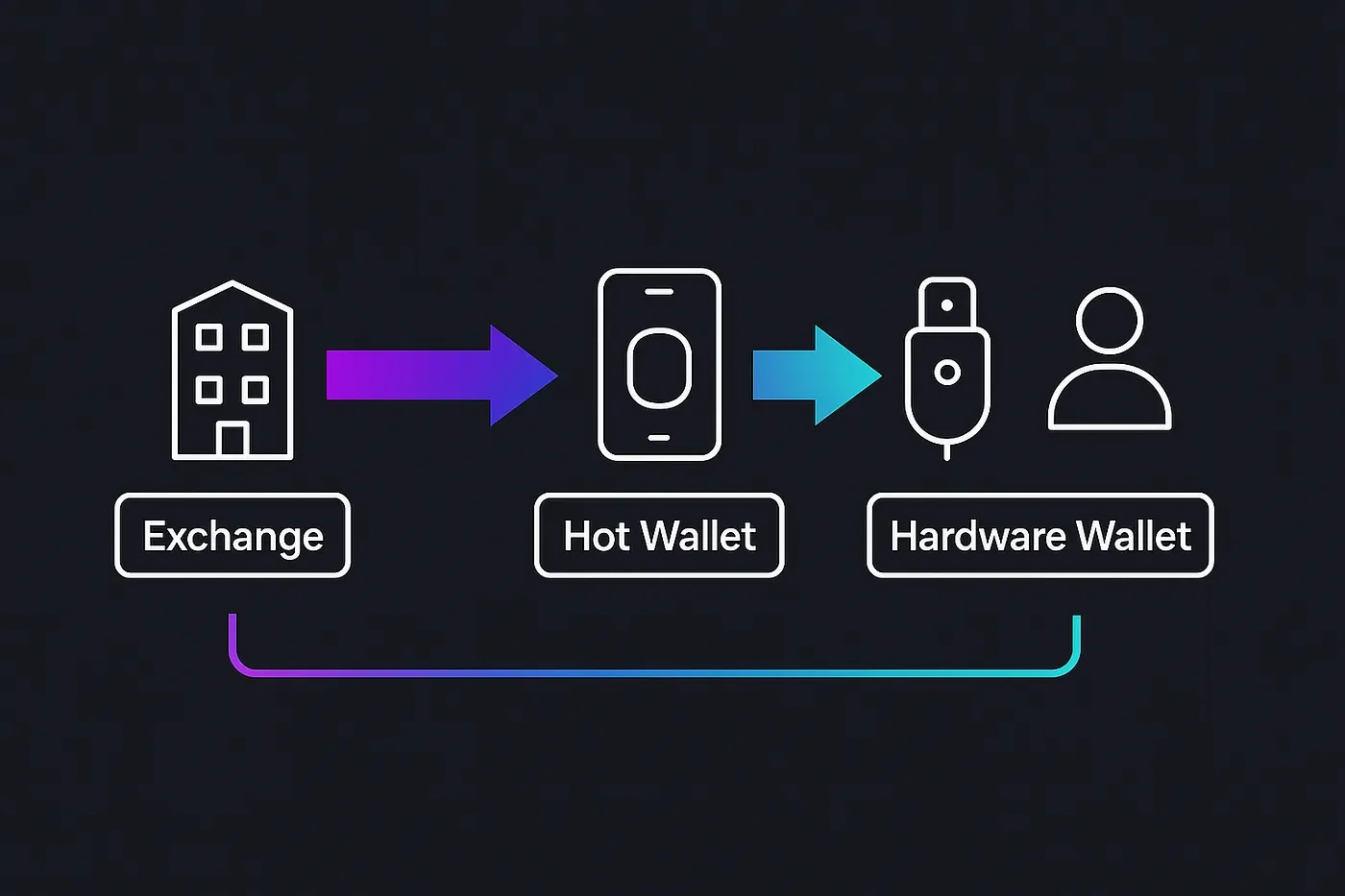
There are two main categories of wallets: hot wallets and cold wallets. Each serves a purpose, and understanding how to use them together is the foundation of a secure setup.
Hot Wallets: Convenience Comes with Risk#
Hot wallets are applications that live in your browser or on your phone, such as Solflare, Backpack, or Phantom. They stay connected to the internet, which makes them easy to use but also easier to compromise.
Hot wallets are ideal for:
- Daily transactions
- Accessing DeFi protocols
- Participating in NFT mints
- Delegating stake directly on Solana
These wallets are popular for a reason. The user experience is smooth, onboarding is simple, and the tools keep up with Solana's fast pace. Yet that ease of use comes with real trade-offs.
-
Attack surface: Because hot wallets are always online, they are exposed to phishing pages, malicious browser extensions, clipboard-hijacking malware, and fake token approvals.
-
Rising losses: Blockchain-security firm Certik found that investors lost roughly $2.5 billion to scams and hacks between January and June 2025. Roughly 1.71 billion of that total came from compromised wallets (Investopedia).
-
Growing focus on individuals: Chainalysis notes that personal-wallet compromises now account for more than 23 percent of all stolen funds so far in 2025 (Chainalysis).
Security Tip: Treat your hot wallet like cash in your pocket. Only keep what you are willing to lose. Use it for spending, staking, or experimenting with new protocols, but do not store your entire portfolio in it.
Whenever possible, pair your hot wallet with a hardware wallet. This adds an additional layer of protection when signing transactions. We will cover how to do that in the Solana-specific section later in the guide.
Cold Wallets: Maximum Security for Long-Term Storage#
Cold wallets, also known as hardware wallets, keep your private keys completely offline. Devices such as Ledger, Trezor, Keystone, and Grid+ Lattice1 isolate keys from your computer and the Internet, then require physical confirmation for every transaction. Even if malware compromises your laptop, an attacker cannot move your assets without both the device and your manual approval.
Why they matter in 2025:
-
Proven track record. Ledger reports that it has sold more than 7.5 million hardware wallets over the past decade and notes that no Ledger device has ever been remotely hacked. (Ledger)
-
Regulatory endorsement. New rules in Hong Kong require virtual-asset trading platforms to keep 98 percent of customer funds in cold storage, underscoring how regulators now view offline custody as the industry standard. (Chainalysis)
Cold wallets are best used for:
- Long-term storage of large balances.
- Safeguarding high-value NFTs and collectibles.
- Reducing risk exposure for active traders or developers.
Pros:
- Private keys never touch your online device.
- Every transaction is verified and signed on a secure screen.
Cons:
- Initial setup demands careful attention to backup and recovery steps.
- Losing both the hardware wallet and its recovery phrase makes the funds unrecoverable.
Security Tip: Treat your cold wallet like a bank vault. Store only what you plan to hold long term. After setup, practice a recovery drill in a safe environment so you know how to restore your funds if the device is lost or damaged. Testing builds confidence before a real emergency ever strikes.
Why You Shouldn't Park Your Crypto on an Exchange#
Think back to your first purchase. Maybe you opened an account on a well-known exchange, linked a bank card, and bought a small chunk of SOL. The coins appeared in your balance, so it felt like they were yours. In reality, the exchange still held the private keys. Your balance was just an entry in a company database, not a wallet you control.
Keeping funds on an exchange is convenient, yet history shows how fragile that convenience can be.
When exchanges fail, customers pay the price:
-
Mt. Gox (2014): Around 850,000 BTC disappeared in a long-running breach. Customers waited nearly a decade for partial repayment.
-
QuadrigaCX (2019): The founder's unexpected death left no one else with the keys. Roughly 200 million USD in deposits vanished.
-
FTX (2022): A rapid liquidity crisis exposed misuse of customer funds. Withdrawals froze, wiping out billions in balances.
-
2025 snapshot (January-June): Two mid-tier exchanges have already halted withdrawals this year after security incidents, trapping more than 120 million USD while investigations drag on.
Why exchange custody is risky:
-
Counter-party risk: You trust a private company to remain solvent, secure, and honest.
-
Regulatory freezes: Accounts can lock during lawsuits or policy changes.
-
Single-point hacks: A breach can drain thousands of user accounts at once.
-
Limited recourse: Unlike banks, most exchanges lack meaningful insurance. Repayment is uncertain and often partial.
From exchange balance to self-custody:
Self-custody means you hold the private keys. No support agent can freeze your account, and no bankruptcy can swallow your balance. With ownership come new responsibilities:
- Control: Every transaction is yours to make.
- Privacy: Fewer centralized databases track you.
- Resilience: Exchange failures or regulatory shifts can't reach your personal wallet.
Security tips for safe exchange usage:
- Treat an exchange like a hotel lobby: somewhere to pass through, not to live. Keep coins there only while buying or selling.
- Withdraw to a hardware or other self-custody wallet as soon as a trade settles, then verify the transaction on-chain.
- If you must keep a trading float, whitelist withdrawal addresses and set low daily limits.
- Maintain accounts on more than one exchange so a single outage cannot trap all your assets.
Moving funds to a wallet you control adds an extra step, but it puts ownership where it belongs: in your hands, not on a corporate server.
Security Best Practices#
Security in crypto is also dependent on habits. The right hardware means little without good hygiene. Below is a practical checklist broken into focus areas, designed to turn abstract principles into real-world protection.
Wallet Setup and Key Management#
Start with the foundation: your wallet and your keys. Everything else builds from here.
- Buy your hardware wallet directly from the manufacturer.
- Set up the wallet offline and in private.
- Generate and write down your seed phrase immediately. No screenshots, no cloud storage.
- Record your seed on durable material such as steel or acid-free paper.
- Store at least two copies in separate, secure physical locations.
- Test your recovery process in a safe, controlled environment.
Staying Up to Date#
Wallets and extensions are software like anything else. Outdated code is an open door.
- Keep your hardware wallet firmware up to date.
- Update browser extensions regularly (Phantom, Solflare, etc.).
- Revoke unnecessary token and dApp permissions using Solscan's Revoke tool.
Safe Usage on Solana#
Solana's speed and low fees make it ideal for experimentation. That also attracts attackers. Stay cautious while staying active.
- Pair your hardware wallet with Phantom for daily transactions with added security.
- Delegate your SOL directly from your hardware wallet to a trusted validator, like Valigator.
- Segment your wallets by purpose, with different addresses for NFTs, DeFi experiments, and your long-term savings.
- Regularly rotate your receiving addresses to boost privacy and reduce traceability.
Network Safety and Device Security#
Even the best wallet setup can be undone by a bad network or compromised device.
- Use a trusted VPN when signing or moving funds.
- Avoid public Wi-Fi. Tether from your phone if needed.
- Secure all related logins (exchange, email, etc.) with a hardware security key such as YubiKey
Spotting and Avoiding Common Attacks#
Most hacks don't start with code. They start with deception. Learn what the red flags look like.
-
Phishing: Bookmark official sites and ignore urgent messages or login prompts from unverified sources.
-
Malicious airdrops: Do not interact with tokens you didn't buy. These surprise tokens can be scams designed to trick you into connecting to malicious sites. Instead, hide them (which simply removes them from view in your wallet) or burn them (which sends them to an unusable address to permanently remove them).
-
Fake support: Never trust unsolicited DMs offering help. Legitimate support stays public.
-
Dusting attacks: Ignore tiny, unexpected token transfers. Blacklist them to avoid interacting.
Ongoing Maintenance#
A secure setup is only as strong as its weakest month. Make this last section part of your routine.
- Review wallet permissions monthly.
- Re-confirm that seed phrase backups are intact, legible, and accessible.
- Scan your transaction history for anything unexpected.
- Set a recurring calendar reminder to check security on the first of each month.
Staking With Valigator#
Now that your security practices are instituted, are you ready to put your SOL to work? Below is the full, UI-driven flow inside Solflare Mobile (works the same on desktop) using the screenshots you see here.
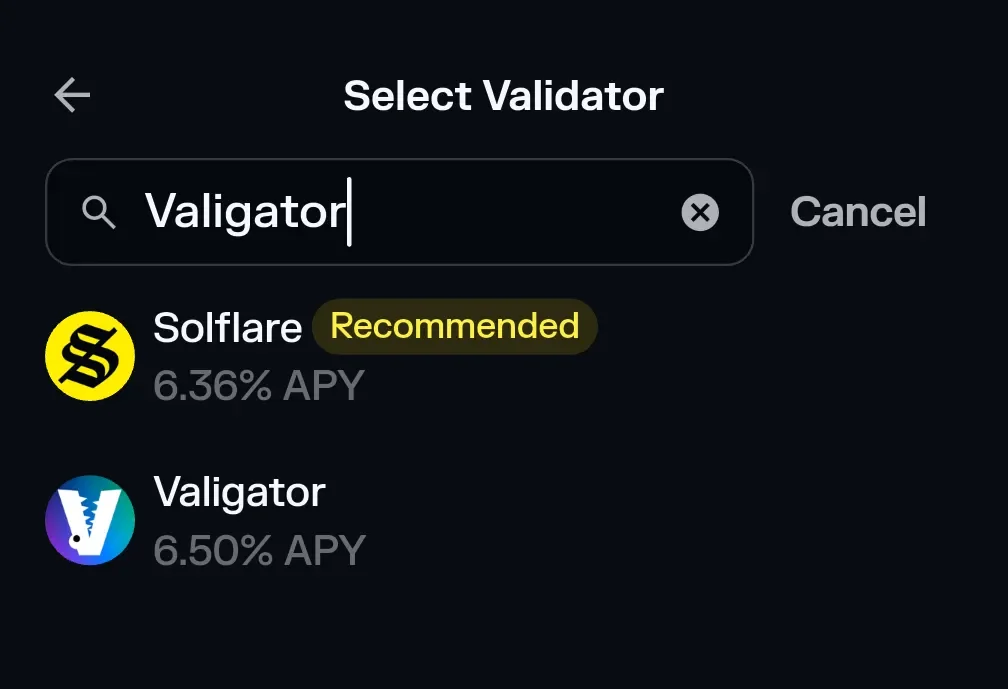
-
Tap Stake on the Solflare home screen (see Screenshot 3). If the button is greyed out, make sure you hold a small amount of SOL for network fees.
-
In the Select Validator search bar, type "Valigator." Our logo appears, typically with a higher APY than the default recommendation. No need to paste the vote account manually.
-
Select Valigator → enter the amount of SOL you wish to delegate.
-
Tap Stake → approve on your Ledger device. Solflare will show a confirmation screen with the transaction signature.
-
That's it; your SOL now earns rewards while staying in your custody. You can monitor performance under the Staking tab at any time.
Validator vote account for reference (advanced users): gaToR246dheK1DGAMEqxMdBJZwU4qFyt7DzhSwAHFWF
Why stake with Valigator? 99.9% uptime, bare-metal redundancy, continuous security audits, and real-time transparency on valigator.tech.
Security doesn't have to be complicated. It just has to be consistent. Use this checklist to build strong habits before you urgently need them. Stay vigilant. Stay in control. May your seed phrases live long and prosper.
Disclosure: I contribute to Valigator, a non-custodial Solana validator. This article is for educational purposes and does not constitute financial advice.